

xelsius control
The xelsius workstation is operated on a touch screen with the intuitive software xelsius control.
KEY FEATURES
- Setpoint control of reaction parameters
- Programmable reaction profile modes
- PI temperature control mode
- Monitoring & visualization of experiment progress and change of parameters
- Documentation and export of experimental data
- Incorporation and operation of xelsius add-ons and sensors
- Remote control
- Free APIs for automation intergration
HOME SCREEN
Straight-forward operation from the beginning on.
The home screen represents the reactor layout from the top view, each tile stands for one of the 10 reactor positions:
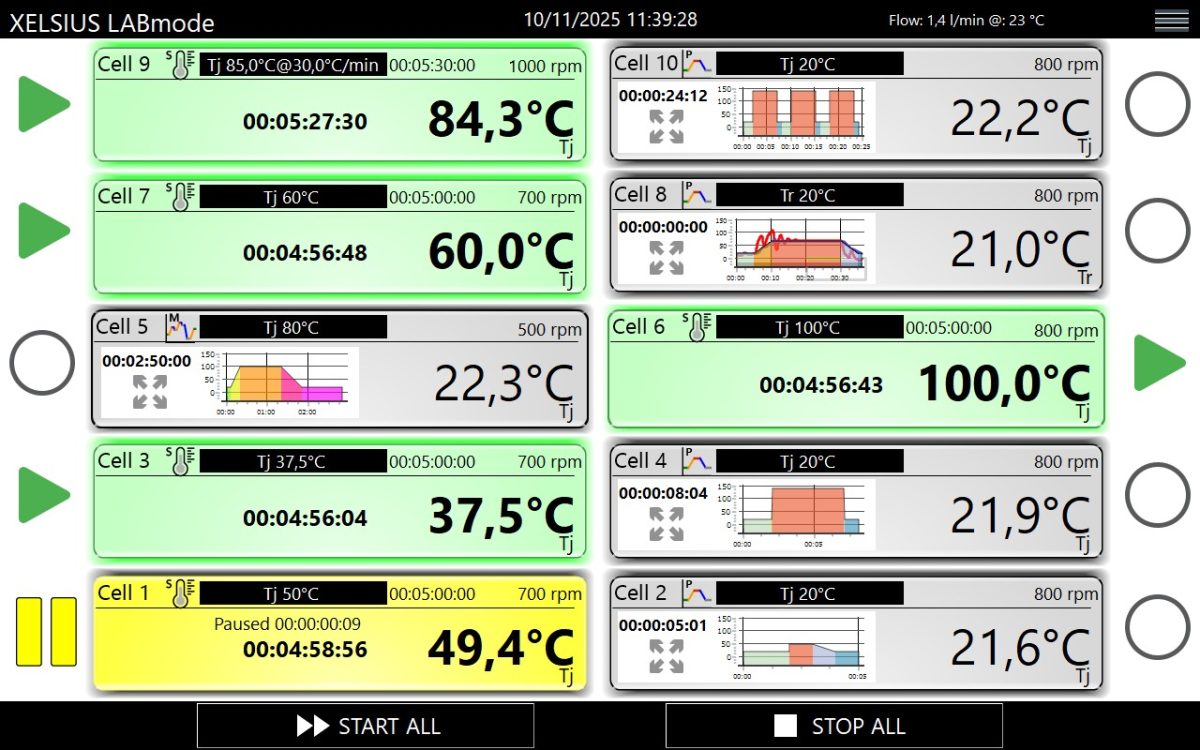
Here experiments are started, paused, stopped individually or altogether.
For current experiments the run time or the reaction profile progress, as well as the heatingg jacket temperatures and reaction temperatures are live monitored.
SETPOINT CONTROL, REACTION PROFILE MODES & TEMPERATURE CONTROL
Setpoint control and setup of experiments are performed following three different reaction profile modes:
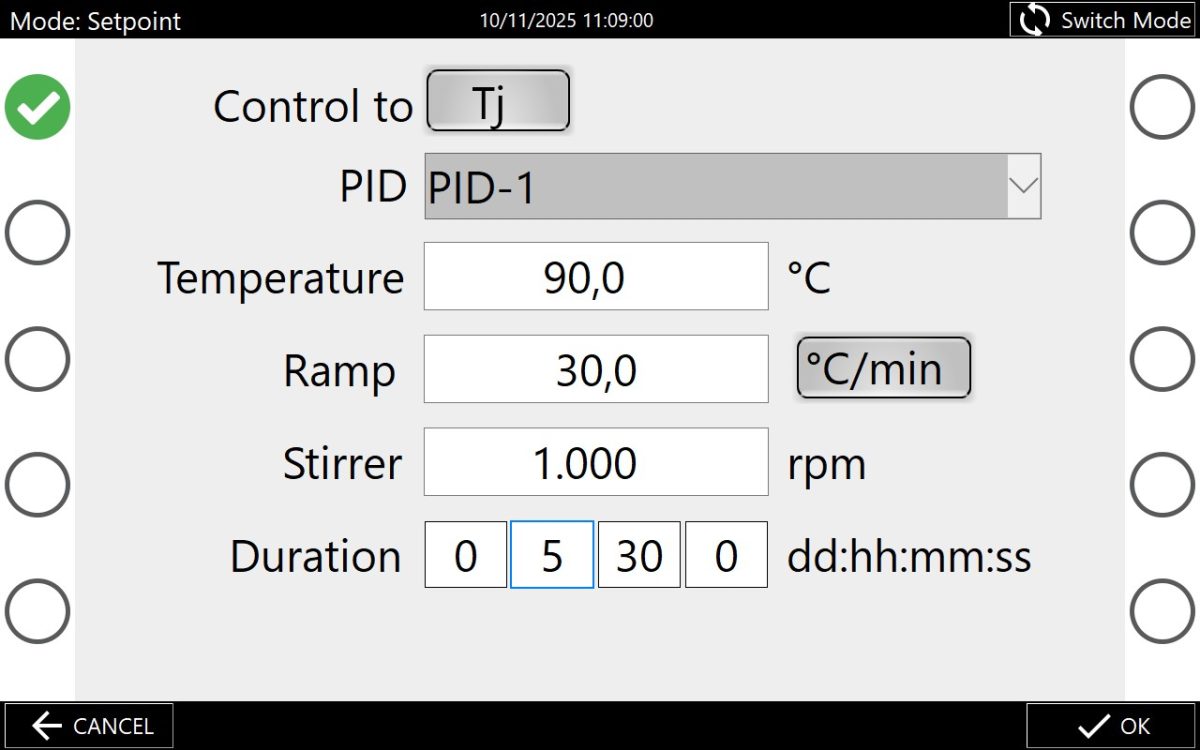
1. Setpoint mode
Simple reaction profile with two segments (ramp and hold/dwell)
For the ramp segment heating/cooling rate can be defined.
For the hold segment a temperature, duration and stirring rate can be defined.
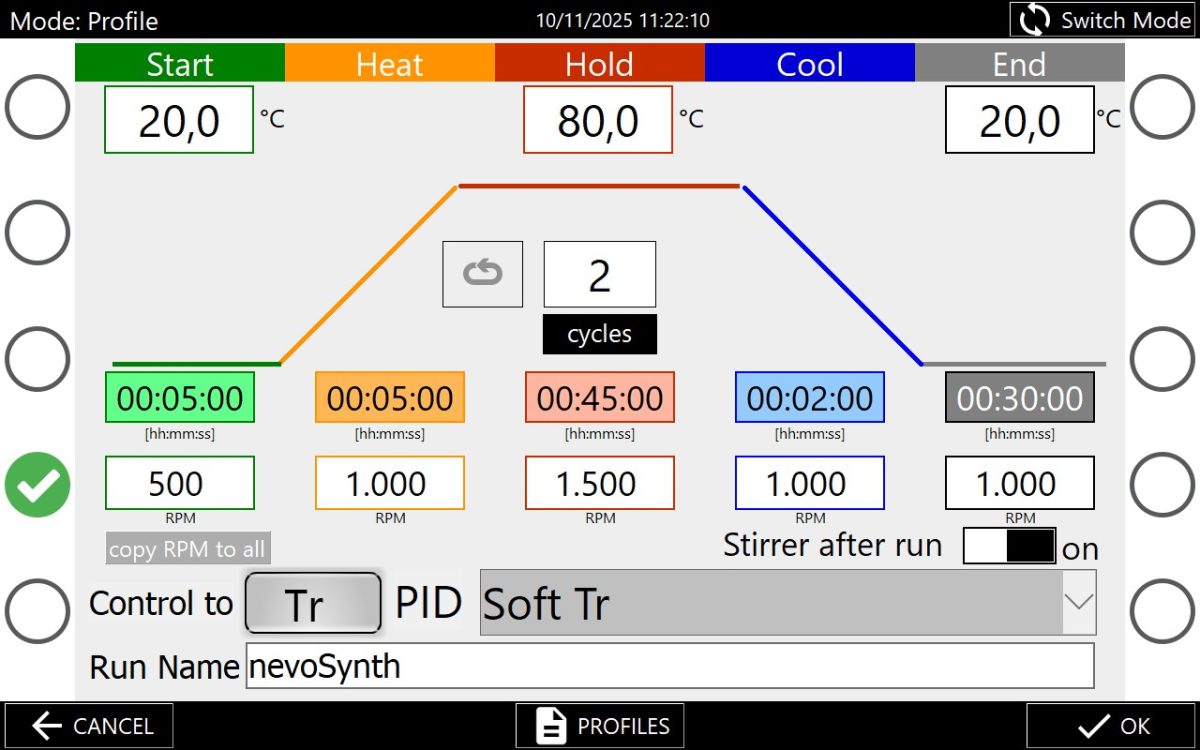
2. Profile mode
Advanced reaction profile with five segments (preconditioning, ramp, hold, ramp, postconditioning).
For each segment temperature, duration and stirring rate are set individually. This reaction profile can be cycled.
Frequently used experiments are saved and loaded under “profiles”.
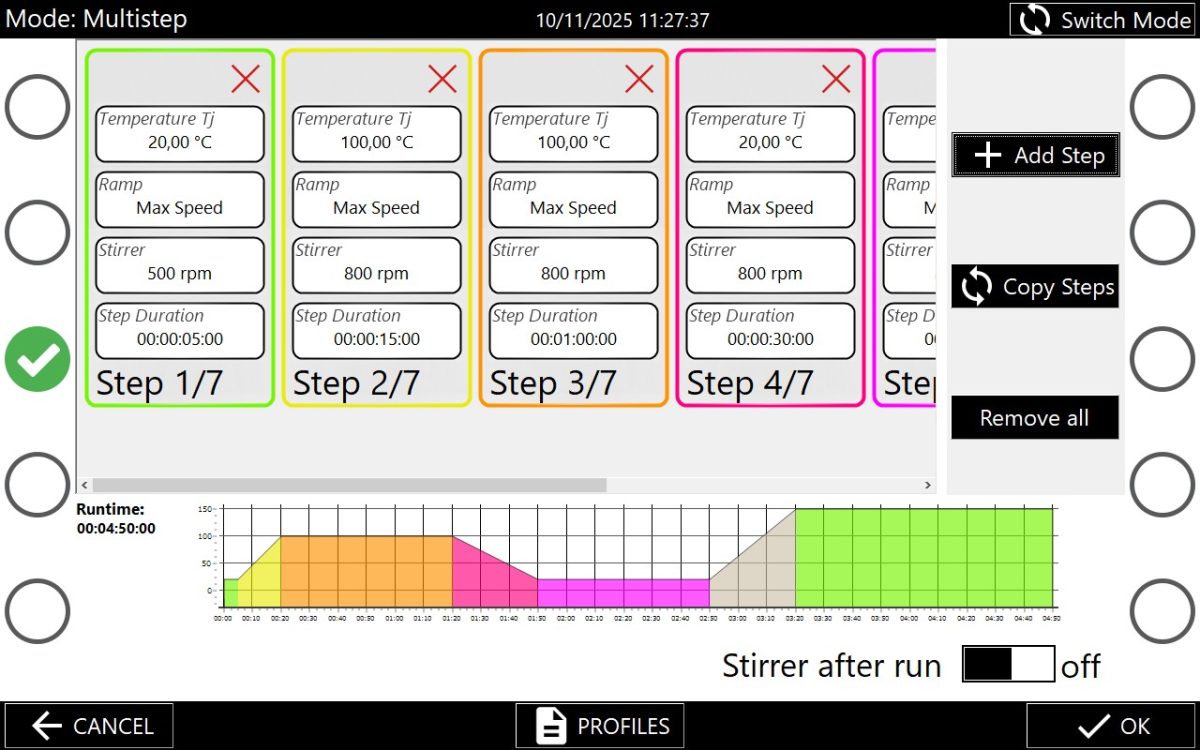
3. Multistep mode
This mode allows the setup of user specific reaction profiles, as segments are freely programmable.
For each ramp and hold (dwell) segment an individual temperature (rate), duration and stirring rate can be determined.
These reaction profiles can be named, saved and loaded under “profiles”.
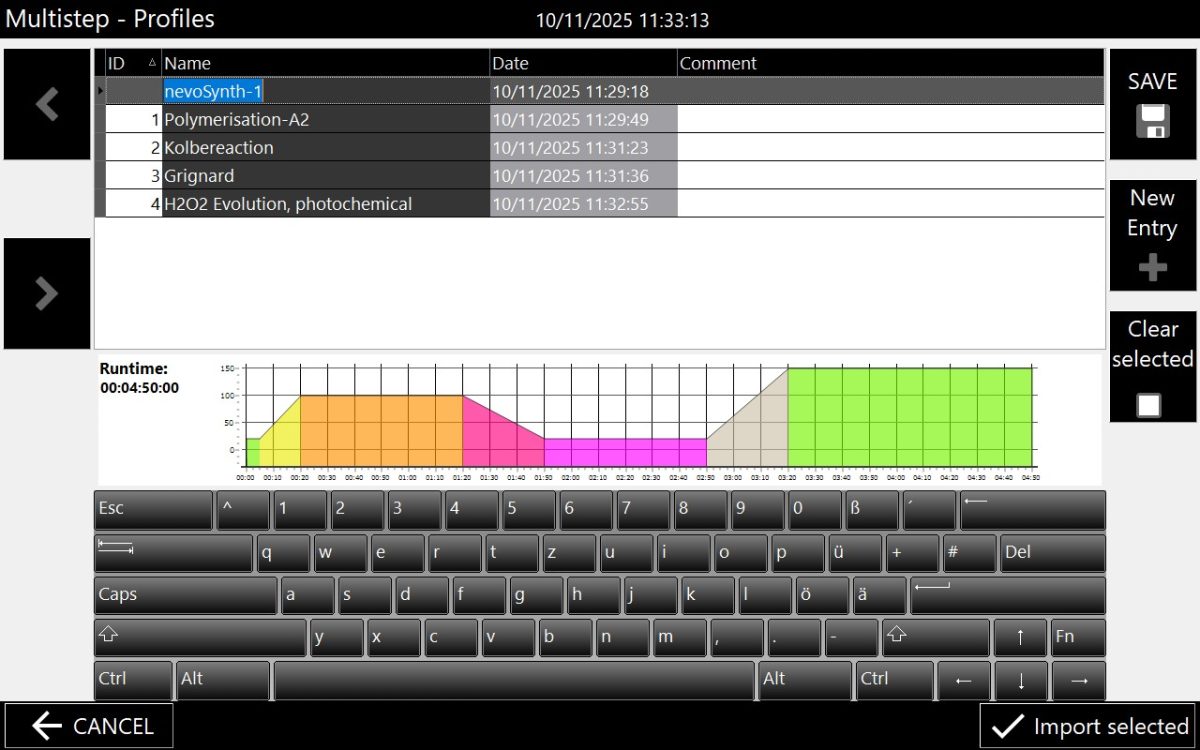
Any reaction profile defined within the “Multistep mode” or “Profile mode” can be saved and loaded.
Import of multistep reaction profiles determined in csv-files is also possible.


For these reaction profiles temperatures are controlled referring to the
• heating jacket temperature Tj (Reaction control equivalent to synthesis in tempered oil baths) or
• actual reaction temperature Tr inside the vessel or reactor, respectively.
For the later option an internal temperature sensor is employed, allowing a dynamic temperature regulation of the reaction medium via a PI controller.
PI temperature control can be optimized using varying presets, advanced users may define PI settings according to their needs.
MONITORING
Ongoing experiments can be easily monitored as their progress and change of reaction parameters are visualized:
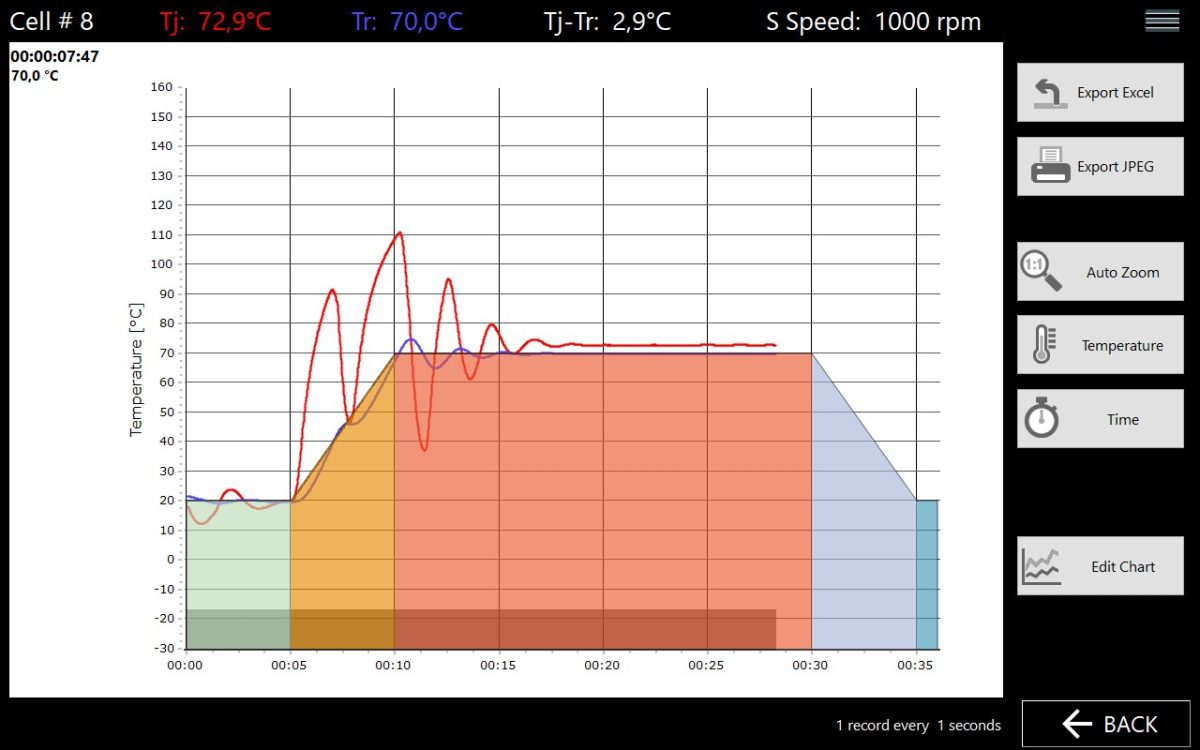
• The reaction profile is pictured within a T(t)-coordinate system
• A grey bar at the bottom indicates the experiments progress
• The change of monitored reaction parameters are represented as graphs.
Beside Tj & Tr (heating jacket temperature and reaction temperature) further parameters (e.g. pH, pressure) will be shown, if the according sensor is incooperated into the experimental setup and connected to the xelsius reactor.
DOCUMENTATION
• Aquisition of monitored process data on device internal storage
• Export of the experimental data is done in Excel and CSV format
• Transfer of data via USB port on the front of the xelsius device or via the following interfaces: Ethernet, REST-API and RS232.
EXTENDED FUNCTIONALITIES
xelsius add-ons (e.g. dosing pump, overhead stirrer) and sensors (e.g. temperature probe, pH electrode) can be incorporated into the xelsius software environment and controlled:
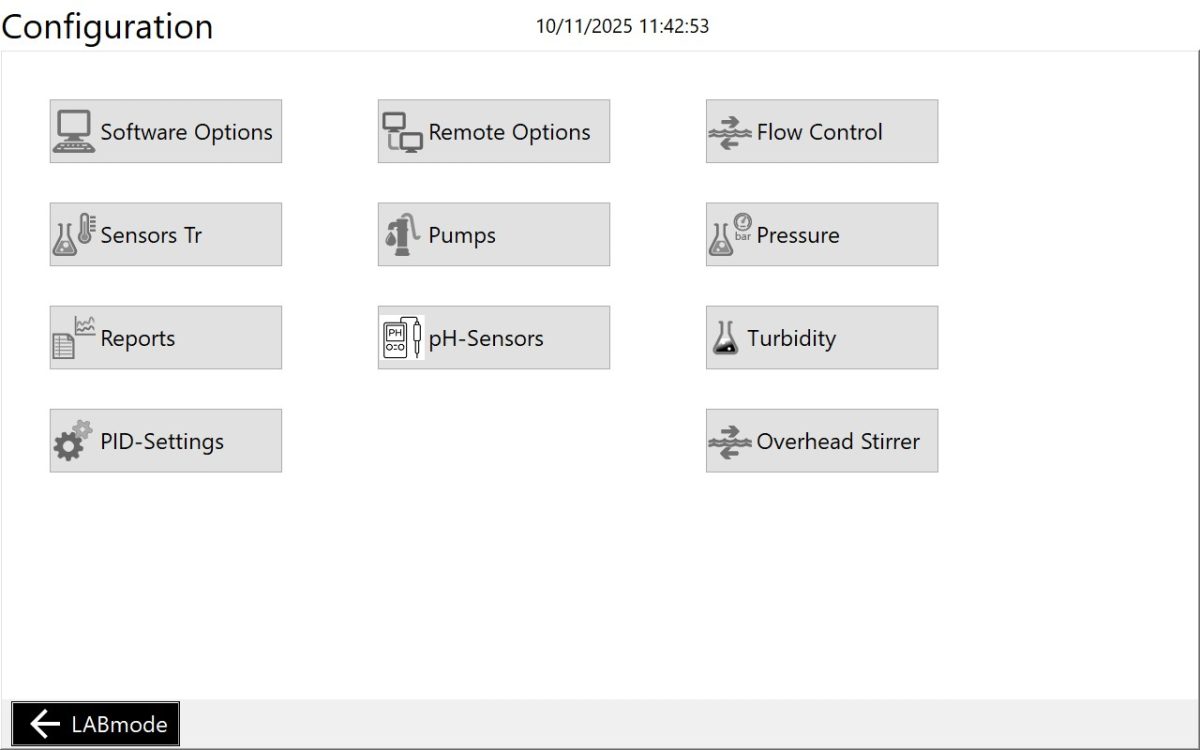
For illustration the intergration of the dosing pump into the reaction profile modes is shown in the following:
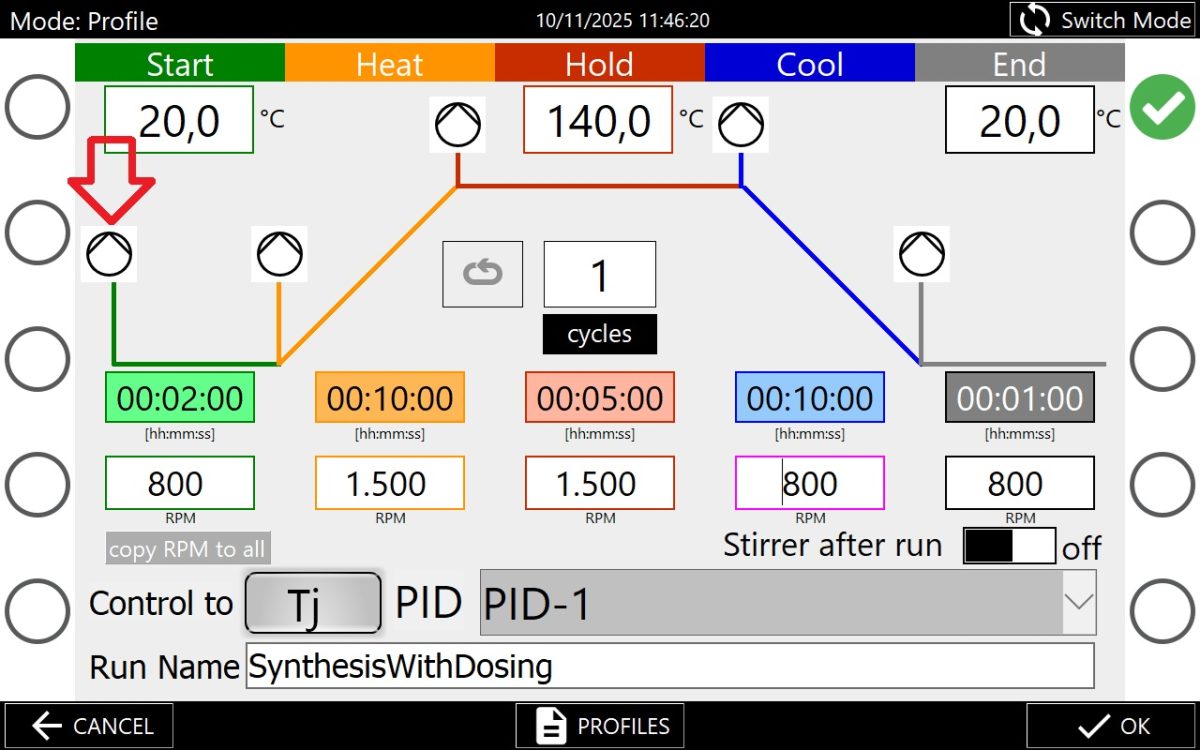
Intergration of the dosing pump into reaction profile mode is represented by an pump icon (see red indicator).
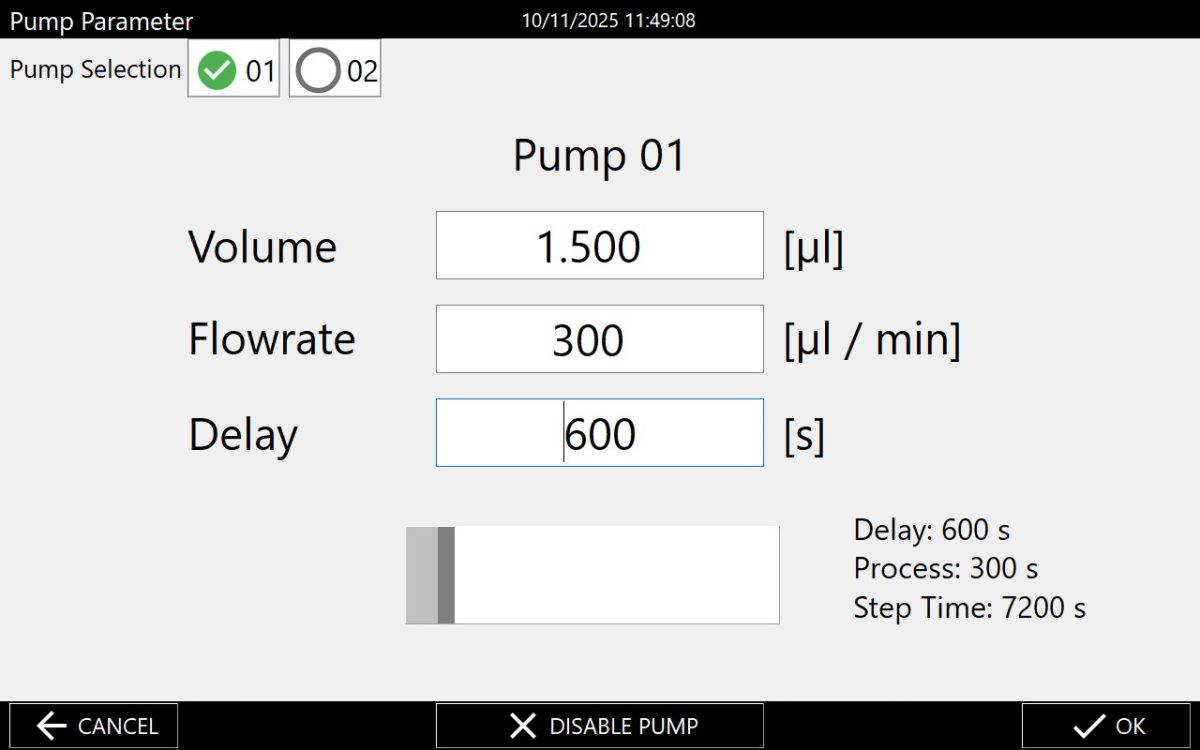
Pressing the pump icon opens a tab to configurate the dosing of a specific volume with a defined rate, optionally a delay can be set.
Individual dosing settings can be set for each segment of the reaction profile.
FLEXIBLE OPERATION
● The xelsius control software can be remote controlled on external devices
● For integration into automation there are free APIs (Application Programming Interfaces)